
Subtitles · Download
Your download has started.
Subtitles.dmg is coming from GitHub, where the releases live. If nothing happened, or Safari asked whether to allow it and you said no, download it again. Installing takes about a minute, and all of it is below.
Install Subtitles
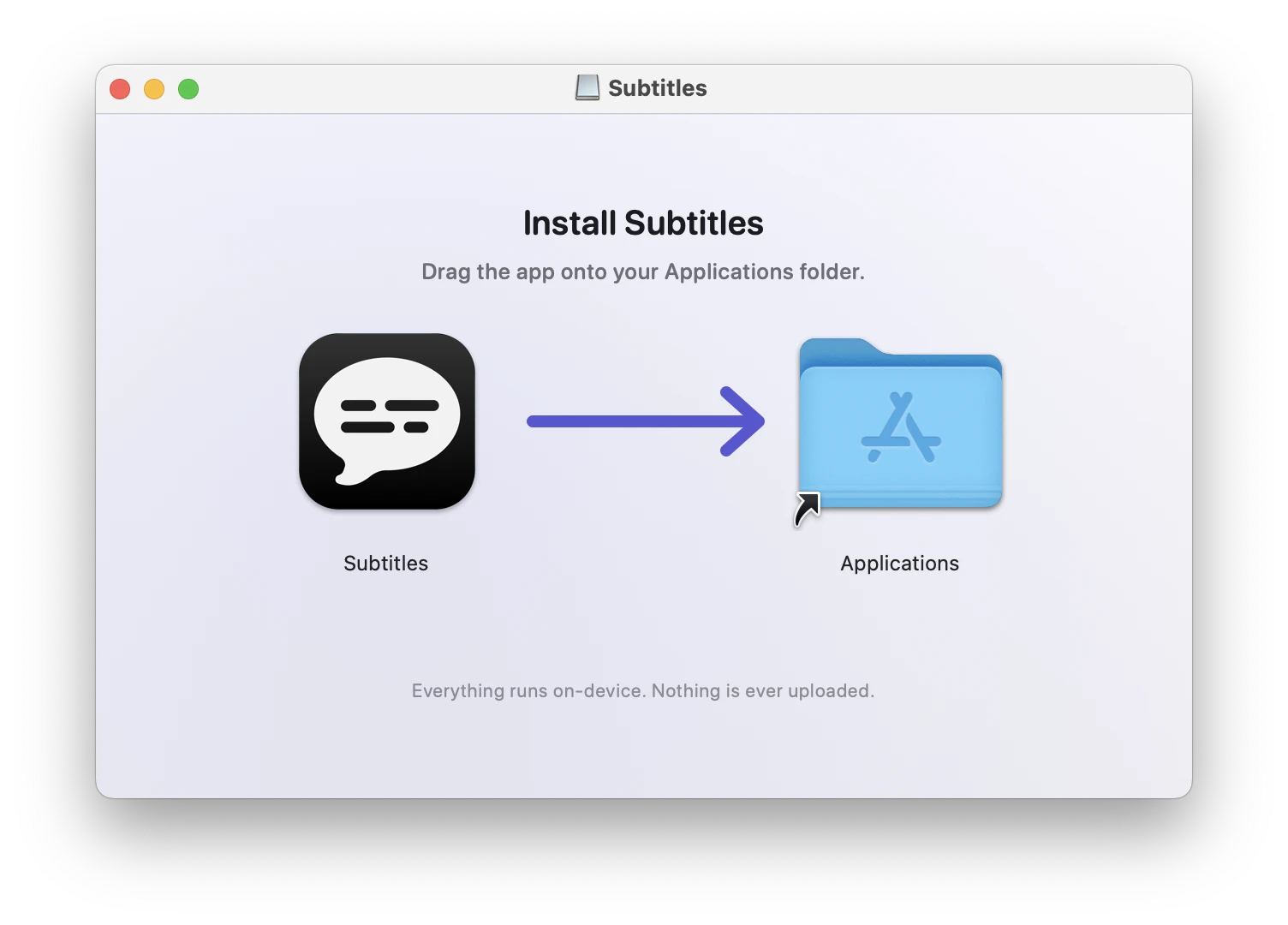
The disk image opens on a window with two things in it, the app and your Applications folder, and the install is moving one onto the other. Everything after that is the first launch.
-
1
Open the disk image
Subtitles.dmg is in your Downloads folder, or in the browser's own list of downloads. Double-click it and the window above opens.
-
2
Drag Subtitles onto Applications
Drop the app onto the folder in the same window. That is the whole install. You can eject the disk image and delete the DMG afterwards; the app is in Applications now.
-
3
Open it from Applications
macOS may ask whether you are sure about opening an app downloaded from the internet; you are. There is no Dock icon and no window to arrange: Subtitles lives in the menu bar. The first launch fetches the speech model, about 600 MB, once; every launch after that takes seconds.
If the menu bar is full, macOS hides the icons that do not fit, and the app opened last is usually the first to go. If captions appear and the icon does not, that is the likely reason: how to make room for it.
-
4
Allow audio recording
macOS asks for permission to record system audio. Say yes. Without it the app looks installed and captions nothing, and nothing tells you why. If you dismissed the prompt, the menu has Check Audio Permission…, which opens the right pane of System Settings.
What to expect
- Seven days free, counted from the first caption. The trial starts when captions do, not when you install, so the download and the model fetch take nothing from it. When it ends the app stays and captions five minutes at a time, with thirty minutes of rest between, until a key goes in: $19, once, for every Mac you use, and you can buy the key now or when the seven days are up.
- macOS 14.2 or later, on Apple silicon. The app is built on an API that arrived in 14.2, and an Intel Mac cannot run it at all. If that is your Mac, the download will not help, and better to know now than after the install.
- Nothing leaves the machine. Transcription runs on the Neural Engine. Once the model is fetched, the only calls the app makes are a daily check for a newer version, which you can decline, and a monthly check of your key once you have one.